
Please access Four live experiments online which are set up on four netCIRCUITlabs Servers, at our Sydney office.
INSTRUCTIONS:
– Experiments can be accessed via Internet Explorer, Google Chrome or Firefox browsers.
– Click on the links or copy and paste the links on browser for each experiment.
– Enter the username and password when you see the dialog box.
– The webcam feature is available for demonstration only. Currently, it is showing the view of any one server.
– Please use the same username & password below, to access the Webcam as well.
Username: user
Password: visitor
Server 1: REL 2.1 BASIC ANALOG CIRCUIT EXPERIMENTS: http://202.129.82.254:2222
Server 2: REL 2.2 OP-AMP CIRCUIT EXPERIMENTS: http://202.129.82.254:3333
Server 3: REL 3.0 COMBINATIONAL & SEQUENTIAL LOGIC LAB: http://202.129.82.254:1111
Server 4: REL 1.0 BREADBOARD CIRCUITS: http://202.129.82.254:5555
NOTE: These servers are for live demonstration purposes. In your installation, these server units would be on your campus attached to your LAN.
Please refer to the images and description below on how to perform the experiments (Please click on the images to view larger)
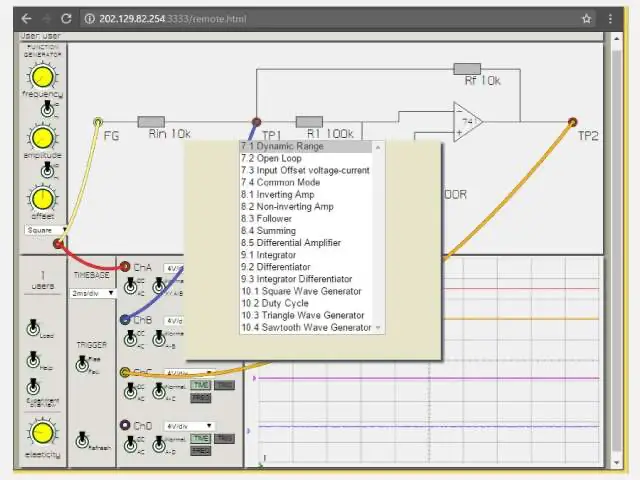
Click on ‘LOAD’ and use the dropdown menu to select your desired experiment on-screen and start patching.
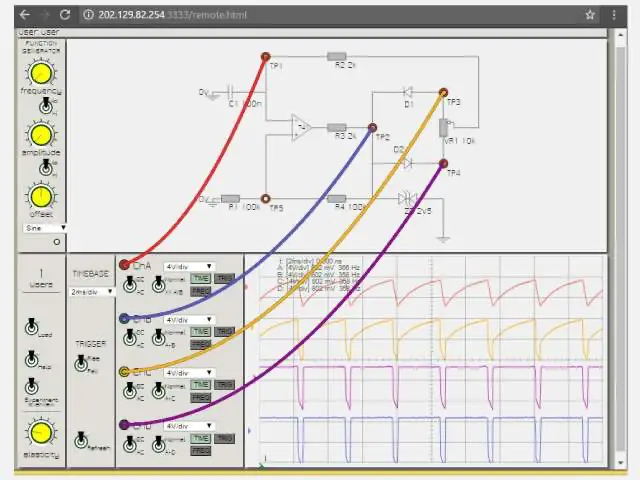
Oscilloscope display (showing on-screen volt and frequency meter measurement). Click on the scope input terminal and then view the circuit signals.
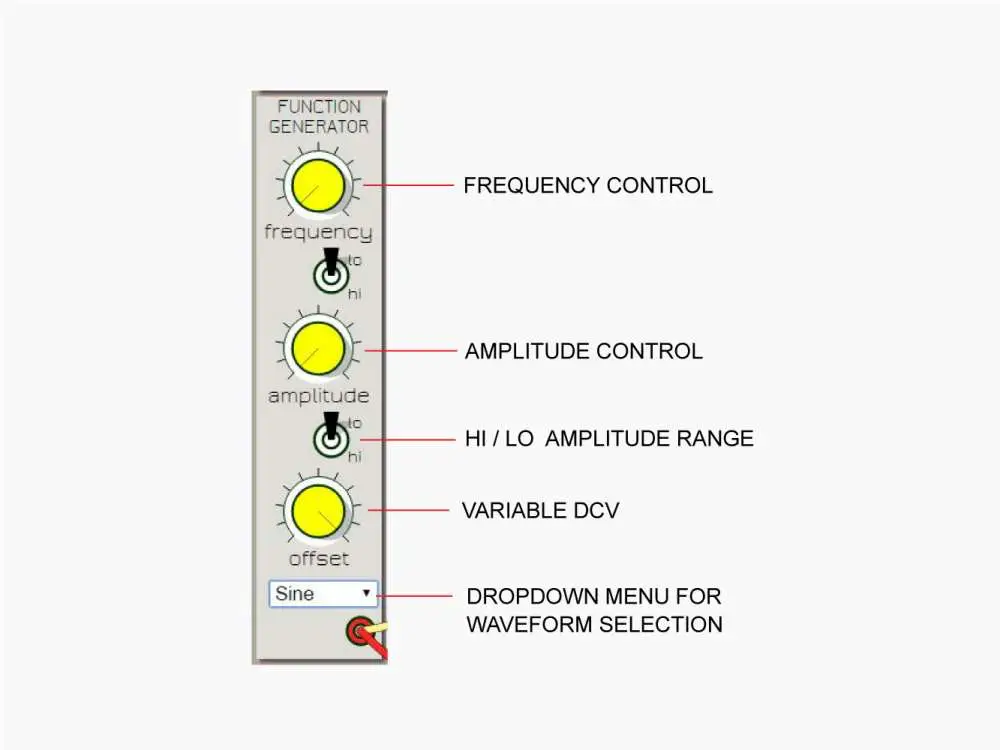
Use the dropdown menu to select the waveform. The knobs are given for variable frequency, variable amplitude and variable DC Voltage
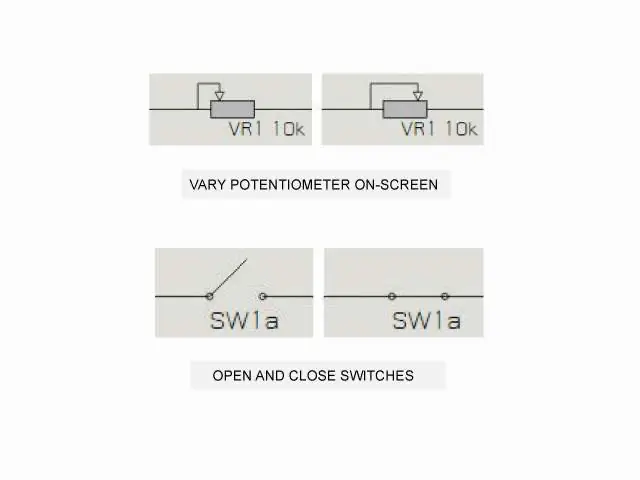
Left click on screen to open and close switches. Drag mouse on-screen to vary potentiometer with high resolution drag mode